All SEO
  SEO News
  SEO Strategy
  Ask An SEO
  Enterprise SEO
  Google Algorithm Updates
  International SEO
  Link Building
  Local SEO
  Mobile SEO
  On-Page SEO
  Technical SEO
  Vertical SEO
  Wordpress for SEO
  Web Dev for SEO
  SaaS SEO
  E-commerce SEO
  AI-Driven SEO
What is Google Maps How It Work, Benefits, Uses & Best Tips

Google Maps is more than just a map or navigation tool. It is a companion for planning life’s movements or routes, big and small. Millions rely on it everyday for various locations. That’s one reason it’s ahead of Apple Maps, with over 1 billion monthly active users and universal compatibility whether you’re using Android, Apple, or a laptop.
The platform grew from a simple digital map into a large ecosystem that supports personal routines, business operations, and developer tools. This momentum reflects how a tool built for directions gradually became an essential part of daily planning in homes and workplaces.
When you first open Google Maps, you see more than lines and street names. The interface welcomes you with tailored suggestions, traffic updates, street images and tips for your routine. People choose Google Maps because it feels insightful while offering what they need at the right moment.
The Growing Importance of Accurate Google map location in Everyday Life
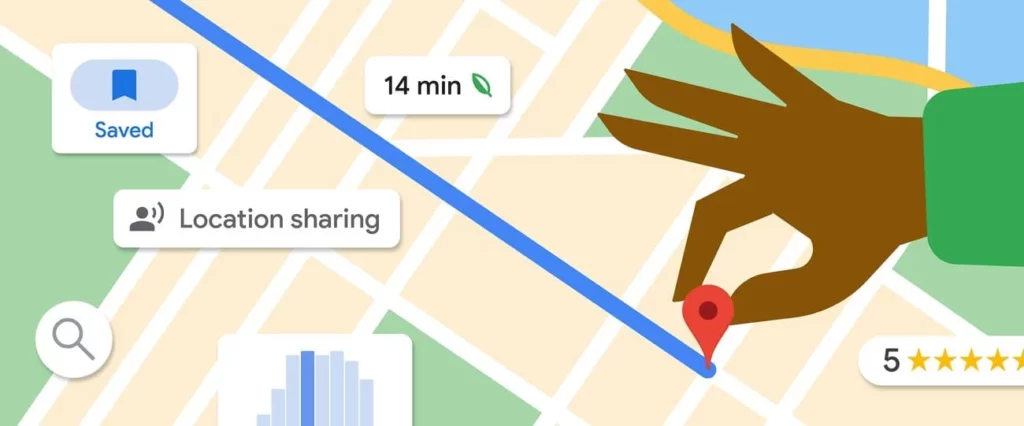
You may be trying to find a new pharmacy or a restaurant after dark. You know having a reliable Google map location makes a real difference. Accurate mapping helps you avoid dead ends, missed turns or sketchy shortcuts. Precision means customers arrive on time and service workers get for businesses where they are supposed to be.
As our lives move faster, there’s less patience for getting lost, for missed meetings, or wasted gas. That’s why people want their map app to be correct every single time. This deep involvement in everyday life shows how it gradually became part of routines rather than a separate tool.
How Google Maps Has Transformed Digital Navigation Worldwide
Remember flipping through thick road atlases or asking a stranger for street directions at a petrol pump? That’s history. Now, Google maps live updates let us bypass jams, see closed roads, and adjust plans on the fly. This digital transformation reaches far and wide, giving users the confidence to explore anywhere, whether it’s unfamiliar cities or their own neighbourhood’s latest café.
Businesses also thrive due to this evolution. Many local companies depend on Google map location accuracy to bring in customers or to route delivery professionals efficiently every day.
With a reach in over 250 countries and territories, Google Maps coverage outpaces Apple Maps, giving people the broadest, most connected navigation experience you’ll find.
Evolution of Google Maps – From Basic Mapping to AI-Powered Navigation
When it launched in 2005, Google Maps was groundbreaking but basic. You could search places, get simple directions, and zoom between street map and satellite imagery. For many, seeing a satellite image of their home from space was mesmerizing—and a reason to show off the feature to friends.
Not long after, Google maps live transformed trip planning. Real-time data became the new normal, with traffic jams, accidents, and detours showing up instantly. You didn’t need to guess if a highway was packed or if a main street was closed for roadwork; the map showed you in real time.
On average, people spend nearly 152 minutes a month using Google Maps to plot routes, check traffic, and find businesses.
How Street View Revolutionized On-Ground Exploration
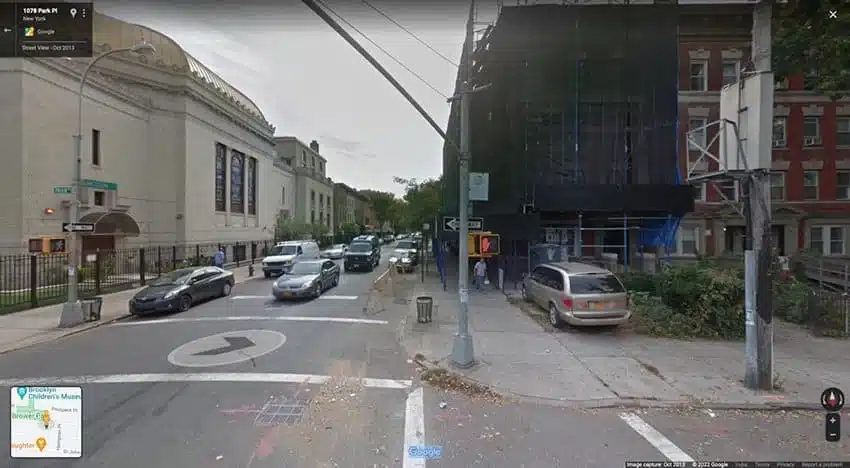
Street View took things further and suddenly, anyone could “stand” on a street halfway around the world, look around in 360°, and even plan where to park before leaving home. Street View became more than a curiosity; people checked it before job interviews, house viewings, or meeting up for events.
The Rise of Mobile Navigation & Location Awareness
The smartphone era put Google Maps in everyone’s pocket. With GPS, maps could now track your exact Google map location and guide you by car, bike, or foot. You became the blue dot moving on the screen, freeing you from anxiety about missing a turn or being late for a bus.
Integration of Machine Learning & AI to Enhance Google Maps
Behind each feature sits AI and machine learning. Google uses your search habits, saved locations, and even your travel times to learn and adapt routes in the background. That means your morning commute tip gets smarter every day.
Predictive Routing and Traffic Forecasting
Routes get optimized using predictive analytics. Google studies old traffic patterns, ongoing congestion, and even special events to suggest the best time to drive. This is how it estimates your ETA so well that it’s now 97% accurate.
AI for Recognizing Landmarks, Roads & Real-Time Map Corrections
Street View cars, drone images, and even user photos train Google’s AI to recognize streets, parks, or even major buildings, keeping maps precise and relevant.
User Behavior Insights to Improve Route Suggestions
By learning when you leave for work, what shops you like, and what roads you avoid, Google Maps offers improved recommendations personalized for you.
Over 120 million local guides have contributed daily, making Google’s map data fresh and trustworthy.
How Google Maps Works – The Technology Behind the Platform
- Satellite Imagery & Aerial Photography
High-definition satellites and planes crisscross the globe, constantly capturing updates that keep Google map location data recent and detail-rich.
- Street View Cars, Local Contributors & Government Data
Street View vehicles and local volunteers capture panoramic images of streets everywhere. Google also works with government agencies worldwide to access the latest roadwork changes and street information.
- Real-Time User Data & Crowdsourcing
Your phone, and millions like it, send anonymous speed and congestion data to Google. This crowdsourcing creates a map that reflects what’s happening at that very moment.
Understanding the Role of the Google maps API
When you shop on a site and see a built-in map or track a delivery, that’s often powered by the Google maps API. It is a set of tools developers use to weave maps into their apps or websites. Over 5 million active apps and sites utilize this tech for easy and reliable digital mapping.
With a Google maps API key, a developer can call up features like direction plotting, real-time ETAs, or live location sharing for everything from delivery apps to real estate listings. The API key also helps developers monitor usage, manage access, and keep everything secure.
Developers enjoy a free monthly API credit, valued at $200, supporting up to 28,400 map loads for innovative new projects.
How Google maps live Features Are Powered Technically
- Live Traffic Updates
Data from millions of connected devices and map users powers Google’s color-coded traffic lines, showing which way to steer clear.
- Live Bus/Train Timelines
Transit operators push schedule updates directly. If there’s a delay, you know without standing on the platform watching for your train.
- Live Location Sharing
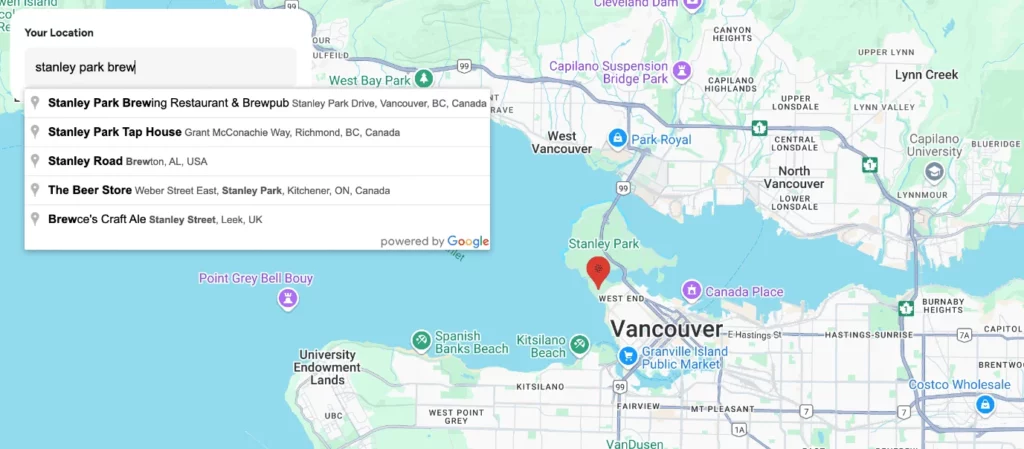
Navigating a concert or finding a friend in a crowded city becomes painless thanks to real-time Google maps live location sharing, adding a safety layer as well.
Key Features of Google Maps You Should Know
- Driving, Walking, Cycling & Public Transit
Whether you drive, bike, or walk, Google Maps adapts to provide the best routes using your Google map location as a starting point.
- Multi-Stop Route Planning
Plan every stop for errands, deliveries, or even a weekend outing with friends. Add and rearrange as plans change in real time.
- Live Traffic Density & Congestion Alerts
Nobody likes being stuck in a jam, so Google’s live congestion alerts let you change course before it’s too late.
- Live Street View Updates
Street View updates regularly, supplying the freshest images—see a construction zone or a recently painted shopfront before you go.
- Live Location Sharing for Safety & Coordination
Keep family informed during taxi rides or let teammates see your progress during group events.
- Reviews, Opening Hours & Menu Details
Find precise business hours, ratings, and even menu items, all based on real-time updates and user reviews.
- Popular Times Graphs & AI Predictions
Graphs reveal the busiest times for businesses so you can pick the best moments for your visit.
- Offline Maps & Low-Connectivity Navigation
Heading to the mountains or anywhere with spotty service? Save sections of Google Maps offline for peace of mind.
- AI-Powered Immersive View for Routes
Explore cities with a 3D preview, blending weather, traffic, and landmark visuals for better route understanding.
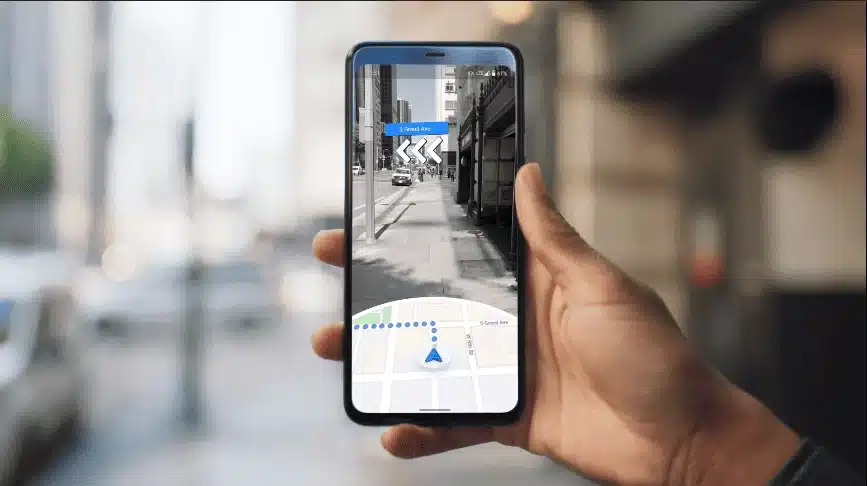
- AR Live View for Pedestrians
Just hold up your phone and let augmented reality arrows guide you, easing city walks.
Practical Uses of Google Maps in Daily Life
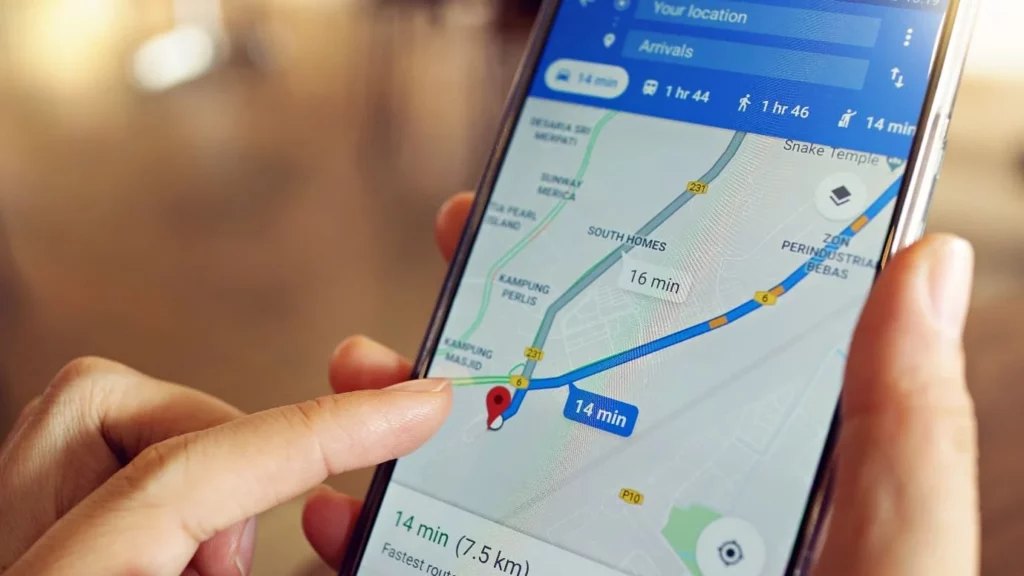
Commuting & Travel Planning
Save time daily by checking traffic before setting off. City dwellers and rural travelers alike avoid stress thanks to reliable point-to-point accuracy.
Exploring New Places & Restaurants
Whether you’re traveling or hungry for something new nearby, use the app’s AI-powered recommendations and reviews for an adventure of your taste buds.
Emergency Navigation Using Accurate Google map location
In emergencies, nothing beats being able to get precise directions to the nearest hospital, pharmacy, or police station.
Delivery & Logistics Efficiency
Fleets use live maps and multi-stop planning to make deliveries prompt, reduce cost, and track driver progress on every route.
Local SEO & Google Business Profiles
Businesses that update their profiles get boosted into more searches—a must for any company hoping new customers will find them.
Real Estate & Property Location Insights
House-hunters can check commute times, local schools, and even what a property’s street looks like in seconds.
Mobile Apps & Web Platforms Using Map Integrations
Apps, from food delivery to taxi bookings, rely on Google maps API integrations to ensure seamless customer experience.
Fleet Tracking & Smart Mobility Solutions
Operations managers can check every vehicle on the move using permanent Google maps live feeds.
E-Commerce Delivery Mapping
Track every package visually, so both vendors and buyers stay informed.
Virtual Tours with Street View
Plan holidays using Street View to explore attractions before leaving home, right down to a café’s outdoor seating.
Route Planning & Attractions Exploration
Tourists save time and costs by mapping out full days’ plans, optimizing for weather and open hours.
Benefits of Using Google Maps
- Accuracy & Reliability of Every Google map location
Trust is built through detail. With 50 million updates daily and 200 million community submissions, Google Maps remains accurate and trustworthy.
- Time Savings Through Smart Routing
Quick, well-judged routes help families, professionals, and travelers save time and reduce stress.
- Enhanced Safety with Google maps live Features
Being able to share a live Google map location during uncertain situations can make loved ones feel reassured.
- Global Coverage & Constant Updates
With updates in over 250 territories, users enjoy accurate local and international travel support, supported by reliable Google maps live updates for everything from buses in Tokyo to bike lanes in Paris.
- Accessibility Features for Inclusive Navigation
Features like wheelchair routes, voice prompts, and color contrast modes ensure everyone can reach their destination comfortably.
- Powerful Tools for Businesses through Google maps API & API Key Access
By using a Google maps API key, businesses and developers unlock everything from advanced route planning to comprehensive location-based analytics.
Best Tips to Use Google Maps Like a Pro
- Check Real-Time Traffic Before Leaving
You can always avoid traffic stress by taking two minutes to check live updates ahead of your trip.
- Share Live Location for Safety During Travel
Meetups and travel feel smoother when you share or receive real-time locations, especially for kids or older family members.
- Use Live Transit Schedules for Public Transport
Once you get used to live bus and train updates, waiting blindly for delays becomes a thing of the past.
- Calibrate Your Compass
Keeping your phone’s compass aligned lets you walk in the right direction every time with no more U-turns.
- Turn On High-Accuracy Location Mode
Switching this mode on in settings lets Google Maps detect your location quickly, crucial for urban spaces with tall buildings.
- Add Multiple Stops
Batching errands saves time and fuel. Plotting this ahead within the app is a small step with big benefits.
- Download Offline Maps for Backup
Heading remote? Before you lose a signal, tap “Offline Maps” to cache your route.
- Optimize Your Google maps API key Usage
Set up automatic monitoring so you know exactly how and where your map data is used that save costs and improve reliability.
- Integrate Real-Time Tracking Features
For delivery or fleet apps, real-time map updates are trust builders for your clients.
- Embed Maps for Better User Experience
Websites gain massive trust when customers see an address on an interactive map.
The Role of Artificial Intelligence in Google Maps
AI engines review piles of historical and current travel data to spot traffic slowdowns or suggest the smoothest detours. If a new road appears, satellite photos and Street View cars grab the update. AI compares the old and new, bringing changes to your device quickly.
Whether it’s exploring a town before you go or reviewing street angles, AI builds immersive, realistic 3D visualizations.
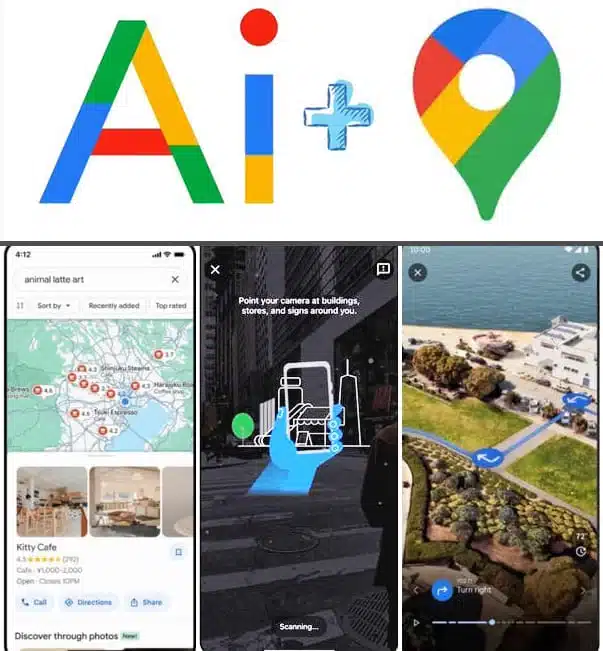
Generative AI for Personalized Recommendations
- Restaurant Suggestions
Hungry? Google’s AI offers choices nearby, rated by fellow diners and matched to your preferences.
- Area Exploration Tips
Love parks or bookstores? AI suggests options nearby, complete with opening hours and user photos.
- Trip Planning Assistance
Planning a holiday or a business trip? Google’s generative AI plots your route, recommends attractions, and predicts best times for each activity.
Challenges & Limitations of Google Maps
- Data Accuracy in Remote Areas
Despite automation, some rural or less-travelled places still lack fresh updates. Google’s growing network of contributors and local guides aims to close such gaps.
- Privacy Concerns With Live Location Tracking
Sharing your Google maps live data is optional, but users still worry about privacy. Google continues to improve options like Incognito Mode and permission settings.
- Reliance on Connectivity
Online features need reliable network access. Offline maps help, but not all features (like live traffic) are available without connection.
- Third-Party Dependency on Google maps API Pricing
Developers, especially startups, need to track API costs. While Google’s $200 free credit helps, heavy usage can lead to higher bills.
Future of Google Maps – What’s Coming Next?
Smarter AI is on the way, letting you know what traffic looks like even hours before you start your trip. Street View is upgrading too, bringing even more rapid and life-like 3D images for quick checks.
Future versions aim for digital twins of major cities. You’ll tour places virtually, seeing sun and rain in real-time. Soon you’ll see routes on smart glasses with directions in your line of sight while riding a bike or walking unfamiliar alleys.
Voice-led navigation grows smarter, allowing you to reroute, search, and even check business hours and no finger taps needed. Expect granular footfall analytics, hyper-local ad targeting, and smarter map embeds for your brand.
Why Google Maps Remains the Most Powerful Mapping Platform
No other platform matches its global reach, user trust, real-time data, and developer support. And, with continuous updates, it’s likely that Google Maps will stay ahead for years.
Google Maps shapes everything from how pizza arrives at your door to how taxi apps find your location, setting new standards worldwide for reliability and versatility.
By prioritizing live updates, personalized recommendations, and pushing for inclusive, eco-friendly solutions, Google’s mapping ecosystem will keep shaping both our streets and our screens.
Conclusion
Google Maps goes far beyond being a digital map; it’s how billions of people and millions of businesses stay connected, informed, and moving. With live features, an ever-expanding API platform, and constant AI enhancement, daily travel, logistics, and discovery become simpler. Each update, review, or map tweak is part of a living platform, one that grows with us, listens to our needs, and keeps us pointed in the right direction, step after step.


FAQs on Google Maps

Google Maps is a multi-purpose tool for finding directions, exploring neighborhoods, checking traffic in real-time, and discovering nearby businesses and attractions.
Thanks to satellite updates, Street View imaging, and millions of daily corrections, Google Maps is highly accurate.
Yes, you can download whole areas for offline use, ensuring you’ll never be lost, even without an internet signal.
A Google maps API key is a credential developers use to add mapping, routing, and location search features to websites or apps while tracking and managing requests securely.
Google maps live traffic collects anonymous speed, congestion, and location data from mobile devices, updating routes and ETAs instantly to avoid delays.
Absolutely. By updating their profile, using local keywords, and gathering reviews, businesses boost their Google Maps ranking and attract more local customers.
Updates vary by area but many busy regions see new Google maps live images multiple times a year, with rural areas less frequently refreshed.
Using Google Maps is free for all standard features. Businesses and developers may pay for advanced API functions.
Location data and sharing are opt-in, and privacy controls include Incognito mode, permission management, and options to pause or delete history.
Its broad coverage, constant updates, user-friendly interface, and loaded extra features like Google maps API, live traffic and AI recommendations, place it a step ahead.