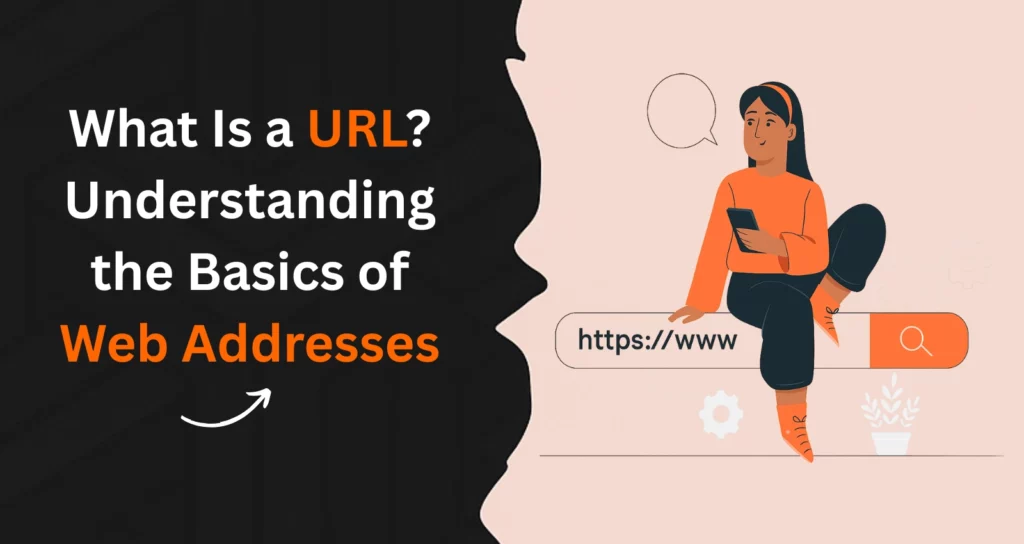
What Is a URL? Understanding the Basics of Web Addresses

When you type something into your browser, what happens behind the scenes? The magic begins with a simple string of text called a URL.
It might look ordinary at first glance, but it’s the very thing that connects you to billions of websites online. If you’ve ever searched “What is a URL?” you’re not alone. Every click, search, and website visit starts with it, making it one of the most fundamental concepts of the internet.
The full form of URL is Uniform Resource Locator, and it acts like the address of a webpage on the web. Just as your home has a physical location, every digital page has a web address so browsers can find it.
Understanding URLs helps both users and businesses improve how they use the internet. Every time you share a clean link or craft one for SEO, you’re using the most basic but powerful tool of the internet: a URL. In this blog you will get the answers to you question “what is a URL?”
How Does a URL Actually Work?
So, how does this short text string lead you to a full webpage? When you type a webpage URL in your browser, your request is sent to a Domain Name System (DNS).
The DNS then translates that address into the IP number of the server hosting the content. Once the server recognises your request, it delivers the page back to your browser.
Think of it like ordering food online. You type in the restaurant’s name, the app finds where the restaurant is located, and then the food is delivered to your door. Similarly, the URL directs your browser to the exact resource it should fetch.
Without this behind-the-scenes process, finding information online would be like searching for a house without an address.
What Are the Key Components of a URL?
To truly understand “what is a URL?” you need to break it down into smaller parts. A URL isn’t just random letters and numbers; it’s a structured way to tell your browser exactly where to go. This is where the concept of URL structure comes in.
Here’s a simple breakdown of the main components:
- Scheme – The protocol that defines how your browser communicates with the server (e.g., https://).
- Subdomain – An optional prefix that separates parts of a site (e.g., blog. in blog.example.com).
- Domain name + TLD – The core site address, like example.com.
- Path – The folder or directory inside the website (/articles/).
- Slug – The page identifier, such as what-is-a-URL.
- Parameters – Key-value pairs used for tracking or filtering (?ref=homepage).
- Anchor/Fragment – Directs you to a specific part of a page (#section2).
Each part plays a role. For example, a URL example like https://www.example.com/blog/seo-guide?ref=homepage#tips tells the browser exactly which article to fetch, how to access it, and even which section to highlight once the page loads.
The Future of URLs: Trends Shaping 2026 and Beyond
With the ongoing evolution of the web, URLs are also facing changes that are not only subtle but also very important. One of the most expected transformations in 2026 is the implantation of passwordless and identity-based web interactions, whereby URLs will more and more incorporate secure tokens and temporary access identifiers.
Consequently, users will be able to use the protected dashboards, cloud files, and collaboration platforms without going through traditional login steps. Another changing trend is the increase in decentralized domains through blockchain-based DNS alternatives which offer censorship resistance and permanent ownership.
Even if these Web3-styled URLs are still niche, they are likely to grow along with digital identity maturity. Another area that is seeing transformation because of voice search is the URL structure as it is pushing companies to use short, memorable, and phonetic-friendly ones.
Readability has become a critical factor now that most traffic comes from smartphones and mobile-first indexing. QR-linked URLs are also becoming common, facilitating the merging of offline and online discovery especially in payments, events, and product authentication.
The basic definition of a URL has not changed, but the way people access, share and interpret them is changing constantly. Keeping an eye on these trends not only helps companies to be ahead of their competitors but also to create URLs that will be user-friendly and suitable for the year 2026 and the future to come.
What Different Types of URLs Exist?
Not all URLs serve the same purpose. Developers and marketers often use different kinds depending on context.
An absolute URL contains the complete address, including protocol and domain name, like https://example.com/page. It’s reliable because it works everywhere. A relative URL, on the other hand, omits parts like the domain name.
It might look like /page, which only makes sense when used inside the same site. Developers often prefer these during coding because they’re shorter and easier to update.
Then there’s the canonical URL, which tells search engines which version of a page is the “official” one. This prevents duplicate content issues. Finally, you have short vanity URLs, memorable links often used in ads or campaigns.
These are designed more for people than for search engines, as they’re easy to read and recall.
How Mobile-First Browsing Impacts URL Design in 2026
The majority of web activity already comes from mobile browsing, thus changing the route of usability in URLs. Users in 2026 not only type but also tap, scan, use voice dictation, and rely on autofill recognition to interact with URLs.
This implies that the URL must be of a size that is less, neat and devoid of unnecessary characters so as not to be truncated on small screens. Responsive design no longer applies only to page layout; it affects the formatting of links as well.
Search engines are getting more confident to evaluate URL clarity as a part of the scoring given to mobile experiences and thus, it reinforces the need for descriptive slugs and minimal parameters to be more important than ever.
App-to-browser deep linking has made the distinction between URL navigation and in-app journeys so thin that users can now move from one environment to another in a seamless manner.
Social platforms have also changed the way they display URLs, visually and that has made the link itself influential in terms of click-through rates even before the page loads particularly for e-commerce and SaaS brands.
Tracking identifiers must be light, privacy-compliant, and fast-sharing through messaging apps optimized for the brands. Understanding mobile-first URL behavior helps ensure that links perform well wherever users discover them, creating smoother engagement and better search visibility in a mobile-dominant internet space.
Why Are URLs Important for Users, SEO, and Governance?
URLs aren’t just about technical structure; they affect the overall online experience. For users, a clean link builds trust. A confusing or overly long one might look suspicious.
Accessibility also improves when URLs are descriptive, making it easier for people to guess the type of content they’ll find before clicking.
For businesses, the impact goes deeper. A proper seo URL structure can significantly improve how search engines interpret and rank content. Search engines love clarity, and a descriptive slug tells them exactly what the page is about.
Additionally, well-organised URLs help site owners manage content more efficiently. Whether it’s tracking campaigns or structuring categories, links play a vital role in governance and content management.
URLs, Privacy, and Compliance: What Users Need to Know in 2026
The evolution of privacy regulations has now made URLs an indispensable part of the compliance and user trust equation. By 2026, the world will be dealing with a variety of privacy regulations including the GDPR, CCPA, and the ever-expanding regional policies that all put limitations on the use of tracking parameters for marketers.
Therefore, it is essential for marketers to be very careful in choosing and very open in disclosing data identifiers so that they do not unintentionally reveal personal information.
On the other side, the browsers are working to the users’ advantage in the sense that they are already by default blocking or removing some of the tracking elements, which causes the analytics to move towards the server-side methods.
The consent-based tracking links are gaining more ground and more users are being told the campaign identifiers before they turn them on. The encrypted and tokenized URLs are paving their way for the super-secure document access, medical portals, financial dashboards, and educational platforms.
Users have become more conscious of the safety of the links and in most instances, they check the URLs before clicking, and this is more so on mobile devices. Hence, businesses need to give priority to trust signals, HTTPS, authenticated redirects, and not employing manipulative link masking techniques.
If used the right way, URLs can bring about transparency and allow the users to choose whether or not they are personalized. Knowing how to effectively apply the balance between usability and privacy will ensure that links are not only effective but also remain ethical in the current regulatory environment.
What Are URL Parameters and How Are They Used?
Parameters are the extra bits you often see after a question mark in a link. They look like ?id=123&ref=homepage. While they might appear messy, they serve important functions.
Developers and marketers use them to filter content, track campaigns, or personalise experiences.
A website URL structure that uses parameters smartly can enhance both analytics and usability.
For instance, an e-commerce website might use parameters to sort products by price or filter them by category. Similarly, marketers rely on UTM parameters to see which ad campaigns bring the most traffic.
While they’re useful, overusing parameters can clutter links, which is why balance is key.
Let’s Understand How URLs Influence Brand Perception and Digital Identity
A URL does much more than guide users to a webpage, it represents a brand’s professionalism, tone, and credibility. In 2026, consumers judge trustworthiness within seconds, and a clean, intuitive URL reinforces legitimacy.
Branded domains and short, memorable slugs strengthen recognition and make sharing effortless across social platforms, messaging apps, and voice assistants.
Businesses increasingly secure multiple domain variations to protect reputation and prevent impersonation, especially as phishing attempts grow more sophisticated.
Industry-specific top-level domains, such as .tech, .store, and .academy, have also become more widely accepted, allowing brands to signal relevance through their web addresses.
Consistent URL structure across product pages, knowledge hubs, and landing pages creates a cohesive digital identity that supports both user experience and SEO.
Even offline materials like packaging, billboards, and events now rely on scannable or short URLs to drive engagement. In a crowded digital marketplace, the way a URL looks, reads, and feels can influence click decisions before content even loads.
Treating URLs as part of brand strategy, not just technical infrastructure, helps organizations make a stronger impression and build long-term recognition.
What Are Best Practices for Clean and Effective URLs?
Now that you know what is a URL and how it functions, the next step is to focus on best practices. A good URL is clean, descriptive, and easy to remember.
That’s why professionals often talk about seo friendly URL structure, because it impacts both user experience and search rankings.
The golden rules include keeping URLs short, using hyphens instead of underscores, and making slugs descriptive but concise.
For example, a slug like /buy-blue-running-shoes is much clearer than /product?id=567. Search engines and users both prefer the former. If you must update a URL, always use redirects so you don’t lose traffic or ranking value.
Understanding what is seo friendly URL structure helps content creators and developers align with best practices from the start.
The Role of URLs in AI Search and Conversational Browsing
With AI-driven search becoming mainstream in 2026, URLs now influence how information is gathered, summarized, and presented in conversational interfaces. AI assistants rely on structured, descriptive URLs to understand context, categorize topics, and identify authoritative sources.
Pages with clear slugs and logical directory paths are more likely to be surfaced in AI-generated responses, especially for informational queries. As search shifts from keyword entry to natural language prompts, URL clarity contributes to machine interpretability.
Structured data, canonical rules, and topic clustering further enhance how AI systems index and reference content. Users increasingly interact with AI-generated link previews rather than traditional search result pages, meaning URLs embedded in AI responses must be trustworthy and easily understood.
Businesses that optimize URLs for semantic clarity find greater visibility in voice assistants, predictive browsing, and embedded search within apps and devices. This an important thing to understand along with understanding “what is a URL?”
As AI replaces traditional navigation patterns, URLs remain essential signals that help machines map and deliver accurate content. Preparing link structures for this new search environment ensures continued discoverability in a conversational-first internet ecosystem.
How Should You Structure Headings and Content for Better Readability?
Even beyond links, structure matters. Just as a URL structure tells your browser where to go, proper heading structure tells your readers how to follow along. Using H2s and H3s in order gives clarity, while bullet lists break down information into easy-to-scan chunks.
Readers skim before they dive deep, so using subheadings and short paragraphs helps them locate key information faster.
In the same way, a clean link gives confidence, and a clean article structure improves engagement. If your content is long, consider using anchors in the URL so readers can jump to the section they want immediately.
What Are Common Misconceptions or Pitfalls About URLs?
When discussing what is a URL, a few myths often surface. One common belief is that HTTPS is optional. The truth is, HTTPS is critical today because it secures data transfer and builds user trust.
Sites without it often face warnings in browsers, which can scare visitors away.
Another misconception is that adding keywords to slugs guarantees rankings. While a descriptive slug helps, it’s just one small part of SEO. For example, having “shoes” in the URL won’t magically outrank competitors if the rest of your content isn’t strong.
Some also confuse slugs with filenames. While related, a slug is part of a structured link that fits within the overall seo friendly URL structure, not just a file saved on a server.
The Relationship Between URLs and Website Performance in 2026
When discussing “what is a URL?”, it is important to know the performance of a website has been considered not only a ranking factor but also a factor for customer retention, with URLs playing a subtle yet significant role in the efficiency of the load process.
By the year 2026, routing through the server, the hierarchy of folders, and the use of query strings had the greatest influence on the resolution of resources’ quickness, particularly in global networks.
URLs that are short and efficient lessen the time taken for lookup and simplify the process of caching, hence, allowing the pages to load quicker on both desktop and mobile devices.
A content delivery network makes use of the URL patterns that are predictable to distribute the assets and provide the best geographic delivery.
An overabundance of parameters or URLs generated dynamically can cause a problem with caching behavior, thus, the site will take longer to load for returning users and this will lead to lower performance scores.
Nowadays, search engines take into consideration Core Web Vitals, and the URL structure is one of the factors that will determine how the pages are going to be indexed and served.
The clean URLs also fit more smoothly with the edge computing architectures that are used for processing the data nearer to the user’s location in order to improve the speed. For businesses, the reorganization of URLs not only improves user navigation but also makes it easier for the website to respond to technical issues, thus resulting in better customer interaction and lower bounce rates.
While user expectations are growing and the tolerance for load time is getting smaller, the performance optimization of URLs becomes a must for businesses to remain competitive, user-friendly, and able to keep their audience satisfied in the long term.
Why Are URLs Important for Users, SEO, and Governance?
URLs aren’t just about technical structure; they affect the overall online experience. For users, a clean link builds trust. A confusing or overly long one might look suspicious.
Accessibility also improves when URLs are descriptive, making it easier for people to guess the type of content they’ll find before clicking. For businesses, the impact goes deeper. A proper seo URL structure can significantly improve how search engines interpret and rank content.
Search engines in 2026 now prioritize clarity, relevance, and mobile readability when evaluating link quality, and a descriptive slug tells them exactly what the page is about. Additionally, well-organised URLs help site owners manage content more efficiently.
Whether it’s tracking campaigns or structuring categories, links play a vital role in governance and content management. Modern analytics tools also rely on cleaner URLs for attribution accuracy, which makes link formatting even more important. When thoughtfully designed, URLs support trust, discoverability, and long-term site management.
What Are the Takeaways and Practical Tips for Readers?
At this point, you know exactly what is a URL, how it works, and why it matters. To wrap up, here are some practical lessons you can start applying today:
- Always use HTTPS for better security and trust
- Keep your slugs short, clear, and descriptive
- Use hyphens instead of underscores for better readability
- Plan a clean seo friendly URL structure right from the start
- Use canonical URLs when you have similar content pages
- Don’t overuse parameters; keep them purposeful
The next time you type or share a link, remember that a URL isn’t just a random string. It’s a well-structured roadmap that helps people and search engines navigate the web. And when done right, it’s a powerful tool for user experience and SEO.
Wrapping Up
So now you don’t just know what is a URL, you understand how it powers every online experience. From the scheme and domain name to slugs and parameters, each part of a link has a purpose.
When structured well, a URL does more than just guide browsers; it guides people, builds trust, and even strengthens SEO.
Think of it like the foundation of your digital presence. A messy link may still work, but a clean and intentional website URL structure works harder for you, bringing clarity to search engines and confidence to users.
Whether you’re a business owner, a marketer, or simply a curious learner, investing time in creating an SEO friendly URL structure will always pay off in the long run.
The web may evolve, but URLs will remain its building blocks. The next time you click, share, or build a link, remember: it’s not just text, it’s the roadmap that connects your content with the world.


FAQs on "What is URL"

A URL (Uniform Resource Locator) is the unique web address that guides a browser to a specific resource, like a webpage, image, or video. It works like a digital address, providing the exact location of content on the internet.
The main parts of a URL include the protocol (https://), the domain name (www.example.com), and the path to the resource (/page/document.html).
The basics of a URL include the protocol or scheme, which shows how the resource is accessed, the domain name, which identifies the server, and the path that points to a file within the website.
Some URLs also contain parameters, a port number, or an anchor for directing to a section of a page. These elements together ensure smooth navigation, accurate identification of resources, and a better user experience.
For class 5 students, a URL can be explained as the web address you type in a browser to visit a website. It tells the computer exactly where to find a page, just like a home address tells someone where you live.
A URL has parts like the protocol (https://), the domain name (like www.example.com), and sometimes a path that shows a specific page inside the site.
The URL of a website is its official web address that lets users and browsers locate it online.
For example, the URL of Google is https://www.google.com, where https:// is the protocol and google.com is the domain name. Each website has a unique URL that works as its identity on the internet.
Yes. Even though AI assistants summarize content, they still rely on URLs to locate, validate, and reference sources. Clear and descriptive URLs help AI systems categorize information accurately.
No. Every URL must be unique because it represents a specific resource. If two pages share identical URLs, only one can load, causing indexing and navigation issues.
Shorter URLs don’t guarantee rankings, but they improve click-through rates, shareability, and crawl efficiency, which contribute indirectly to better visibility.
A URL may be unsafe if it contains suspicious redirects, altered characters, misleading domain names, or lacks HTTPS. Modern browsers flag unsafe links automatically.
Not replacing, but extending them. QR codes simply encode URLs for faster access, especially on mobile. The URL still powers the destination.