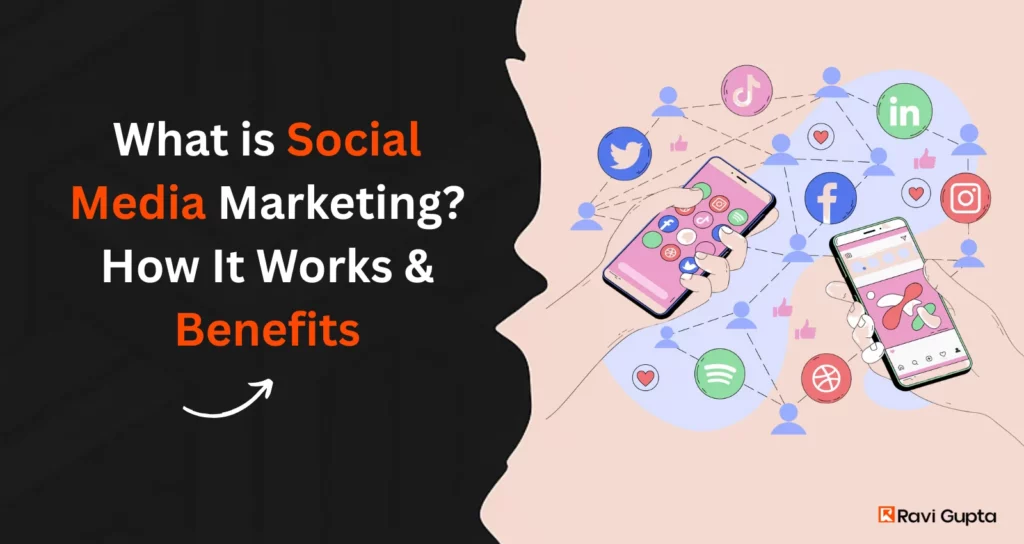
What is Social Media Marketing in 2026? How It Works & Benefits

Social media marketing is responsible for how brands communicate, connect and respond in 2026. This kind of shift feels more human than mechanical. You see people shaping conversations faster than brands can plan them. It pushes every team to rethink how messages should live across feeds.
Nearly 48% of consumers interacting with brands more frequently than they did six months earlier. The space feels busy, loud and yet strangely personal. The way people scroll through content reflects a mix of habit and curiosity. This is where brands try to fit into that rhythm without sounding forced.
Businesses now treat platforms as living spaces where ideas move, grow and reshape based on real interactions. You watch trends appear in hours, and they shift again before anyone calls them trends. That is why teams look at intent, context, and community behavior more closely than ever.
Read on to find out more about the interesting relation between Social media and marketing.
Key Takeaways
- Social media marketing uses platforms and networks to market products, build brands, and engage with customers
- Its power lies in three core strengths: connection, interaction, and customer data
- Tracking metrics such as engagement, reach, and conversions is essential for evaluating performance
- SMM offers cost-effective reach and engagement, but requires consistent effort and strategy
Why Is Social media marketing So Powerful?
You feel the impact of Social media and marketing every time a message spreads faster than expected. People respond to simple ideas when they feel honest, and that honesty creates stronger recall. Brands place messages where people already spend their time, and that brings natural visibility. Teams lean on emotional cues, direct feedback, and steady conversations to keep the engagement consistent.
Since the leading benefits include higher exposure and steady traffic, the approach holds weight for companies shaping their digital presence. It helps products reach new groups without forcing attention, and that makes the format feel organic.
The strength of Social media marketing comes from its ability to influence consumers in ways traditional media cannot. Its power can be understood through three main pillars: connection, interaction, and data. Social media is presently utilized by more than 5.3 billion Social media users, with 2+ hours daily on Social media on Instagram, TikTok, and LinkedIn, among others. That is a massive opportunity for companies.
In fact, 76 percent of consumers report that they have bought something that they heard about on Social media.
Social media marketing is all about appearing in the places your audience spends time. When you do it well, then those shares, conversations, and likes will translate to awareness, trust, and sales.
Connection
Social media and marketing allows businesses to connect with audiences globally and instantly. Whether through posts, live video, or stories, companies can deliver messages directly to the people most likely to care about them. Unlike television or print, these connections are highly targeted and measurable.
Interaction
Interaction sets SMM apart. Every like, comment, or share represents active participation from the customer. These interactions create digital word-of-mouth, amplifying brand messages far beyond the original audience. The Social media business environment thrives on these exchanges, as they build trust and influence consumer decisions.
Customer Data perhaps the most valuable feature of SMM is access to customer data. Platforms track demographic information, interests, behaviors, and purchasing activity. Businesses use this information to refine their Social media marketing strategy, ensuring campaigns are efficient and highly relevant to their target markets.
Relation Between Social media and Marketing
The link between Social media and marketing feels stronger in 2026 because people expect brands to speak in a way that feels genuine and steady. You see how conversations move fast, and that movement shapes how messages are formed, delivered, and repeated across platforms. Marketing teams watch these shifts closely because the audience’s behavior guides how ideas should be expressed. The connection grows clearer when you look at how people respond to tone, timing, and clarity.
This relationship also shows why brands rely on media marketing social techniques that match everyday interactions. When content mirrors how users think or speak, it becomes easier to absorb. Short lines, simple visuals, and human-centered posts set the direction for many campaigns. This gives SMM a practical structure built on real reactions rather than assumptions.
For many teams, SMM marketing blends planning with flexibility. You map goals, track patterns, and adjust content based on what people respond to during the week. The link becomes a cycle of listening and shaping ideas that feel relevant. This also explains why Social media marketing keeps expanding as a concept because the approach changes with audience habits.
The relationship grows deeper when you consider how much time people spend on Social media each day. Every scroll becomes a moment for discovery or recall. Each reaction becomes a small piece of insight. These actions help teams understand SMM meaning in a usable way, making the strategy more informed.
Brands rely on a Social media marketer to read these signals, shape messages, and keep communication clear. Agencies and internal teams offering Social media marketing services use the same cues to build long-term plans. This creates steady growth for any Social media business, where trust and clarity matter as much as reach.
Types of Social media Marketing
The space expands through several formats that help teams shape clear messages and steady communication. Each type supports different goals, yet they all help Social media business efforts feel grounded and intentional. You see how brands adjust these methods based on audience behavior, message depth, and the natural rhythm of each platform.
Content-Based Marketing
Content-driven posts sit at the center of Social media and marketing, mainly because people respond well to ideas presented in simple formats. Brands share short clips, clear graphics, calm explanations, and helpful insights that match real scrolling habits. This type shapes early discovery and helps people understand how a product or idea fits into their daily needs. It also strengthens SMM activity because the content reaches users without forcing attention.
Influencer Partnerships
Influencer work supports media marketing social by giving the audience a familiar voice they already trust. Brands choose creators whose tone feels natural and steady. Their opinions carry weight, making the message feel more grounded. This type blends well with broader SMM marketing plans because creators help the brand connect with people who listen to them regularly.
Paid Social Campaigns
Paid posts help brands reach users who may not find them through organic content. These campaigns use simple filters that match user behavior, making each placement feel relevant. Paid formats support discovery, product launches, and limited-time campaigns. They also help clarify SMM meaning, especially when teams want predictable visibility.
Community-Centered Marketing
Community-focused efforts help people speak freely in groups, comments, and shared discussions. This strengthens trust and creates long-term comfort. It blends well with what is Social media marketing because it reflects real interactions instead of scripted lines.
Social Customer Support
Support-driven communication helps brands reply quickly and clearly. It strengthens trust and connects users directly with a Social media marketer who listens and responds with simple explanations.
How Social Media Marketing Works
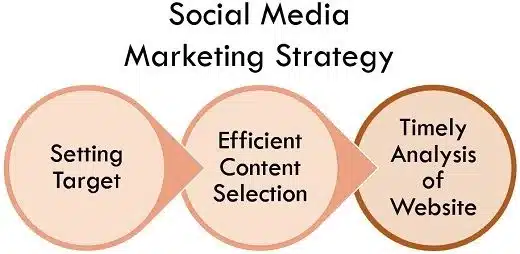
Many people ask what is Social media marketing, and the answer feels broader in 2026 than before. It works through content, consistency, and conversations that adapt to shifting signals. Teams build posts that match audience behavior, choosing formats based on what users respond to each week.
The approach mixes storytelling, direct messaging, and helpful insights. Paid promotions fill gaps and push key messages, while organic content supports daily discovery. You see how tone matters more than polish because people scroll with instinct. A relatable message stands a better chance than a perfect one.
Social media marketing works by placing businesses where people spend their time online. As platforms have evolved, they’ve become essential spaces for brand discovery, customer service, and direct selling.
Building an Action Plan
A successful SMM strategy requires clear goals, audience understanding, competitive research, and a strong content plan. A typical approach includes:
- Defining goals aligned with business objectives (e.g., brand awareness, sales, lead generation)
- Identifying the target customer based on age, location, income, job title, and interests
- Conducting competitor analysis to learn from both successes and failures
- Creating a calendar for consistent Social media management and content delivery
- Producing engaging content tailored to each platform’s format and audience
- Monitoring results and optimizing based on performance data
Shareable and Sticky Content
Engaging content, sometimes called “sticky content,” captures attention at first glance and motivates sharing. When followers pass content to friends, the brand benefits from exponential exposure at no extra cost.
Earned Media and Viral Marketing
Social media marketing services often aim to generate earned media, which includes reviews, recommendations, and user-generated content. Another related approach is viral marketing, where a message spreads rapidly through shares and mentions, creating significant awareness with minimal expense.
Customer Segmentation
Unlike traditional channels, SMM allows for refined customer segmentation. Companies can deliver different messages to different audiences, ensuring content resonates more effectively and improves return on investment.
Tracking Metrics in SMM
Tracking performance is central to effective Social media marketing. Metrics help businesses understand what resonates with audiences and how campaigns influence behavior.
Key SMM metrics include:
- Engagement: likes, comments, and shares that reflect interaction levels.
- Impressions and Reach: how often content is seen and by how many unique users.
- Click-throughs: how many users visit a website or landing page from social posts.
- Conversions: how many actions, such as purchases or sign-ups, result from campaigns.
- Response rate/time: how quickly a business responds to customer inquiries online.
Aligning each goal with a measurable metric ensures clarity and accountability. For example, if the objective is to increase leads, the primary focus should be on click-throughs and conversions rather than follower counts.
Advantages and Disadvantages of Social media marketing
Social media marketing brings enormous opportunities for businesses of all sizes, but it also comes with its own challenges. Understanding both sides helps companies build realistic expectations and stronger strategies.
Advantages of Social media marketing
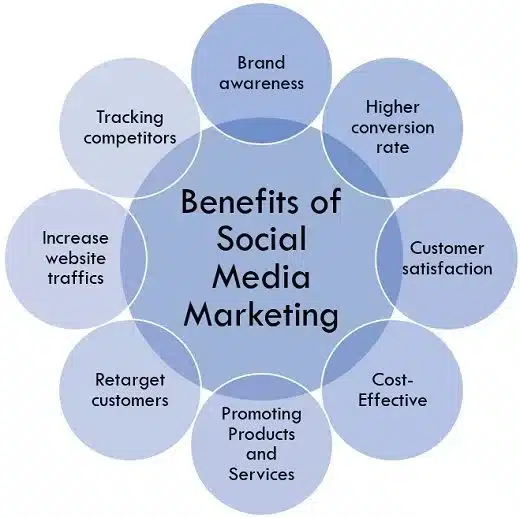
Brands reach more people faster than traditional formats, and this remains true in 2026. They connect with users through comments, messages, and reactions that feel direct. Social platforms support exposure, which strengthens Social media business growth. The ability to create affordable campaigns helps small teams stand beside larger brands.
Content types range from videos to short text, making experimentation easier. With people interacting with brands more than before, each message holds potential to spark conversation or interest. The approach creates a flexible communication space that adjusts to behavior shifts.
Increased Brand Recognition
Social platforms act like digital billboards with global reach. A small clothing label on Instagram can be discovered overnight by thousands of new customers simply because someone shares a post. This kind of exposure, once only possible through expensive campaigns, is now within reach of any business.
Cost-Effective Promotion
Traditional media often requires large budgets for placement. Social media, on the other hand, allows businesses to publish content for free and advertise with minimal spending. Even modest campaigns can generate measurable results if targeted properly. For startups and small businesses, this levels the playing field against larger competitors.
Real-Time Interaction
Unlike a TV ad or magazine spread, Social media lets brands converse directly with their customers. A restaurant can reply instantly to a review, or a tech company can use live chat to solve issues. This immediate feedback loop strengthens relationships and often turns satisfied customers into advocates.
Targeted Campaigns
Platforms like Facebook Ads and LinkedIn Campaign Manager allow highly specific targeting by age, interests, profession, or even life events. This precision ensures marketing dollars are spent on the people most likely to respond, improving efficiency and conversions.
Enhanced Website Traffic
Every post, story, or ad is a gateway to a business’s website. When brands consistently share content with clear calls-to-action, Social media becomes a steady driver of qualified traffic. Over time, this not only boosts sales opportunities but also improves SEO performance.
Disadvantages of Social media marketing
Fatigue shapes user behavior in 2026, and people sometimes reduce time on platforms. This makes reach less predictable. Trust issues grow, especially when feeds feel cluttered. Brands must manage misinformation risks, tone mistakes, and fast-moving criticism. Algorithms shift often, requiring teams to update plans more quickly.
The predicted rise in people limiting platform use creates pressure for better content quality. These issues highlight why steady engagement requires intention and thoughtful planning rather than constant posting. The model works best when brands read signals instead of pushing content endlessly.
Time and Resource Demands
Running effective campaigns requires more than occasional posting. Businesses must produce high-quality visuals, maintain a consistent posting schedule, and monitor responses daily. For many, this workload necessitates hiring a dedicated Social media marketer or agency.
Unpredictable Algorithms
Platforms regularly update their algorithms, which dictate what users see. A campaign that once generated strong reach can suddenly perform poorly after an update. This volatility forces businesses to adapt constantly and often rely on paid advertising to maintain visibility.
Public Criticism
Media marketing social is highly transparent. While positive feedback can spread widely, so can complaints. A single dissatisfied customer’s post can gain traction quickly, damaging brand reputation if not managed carefully. This requires businesses to be proactive and responsive in handling criticism.
Complex ROI Measurement
Although analytics tools track engagement and clicks, connecting these metrics directly to revenue is challenging. Social media often influences customers indirectly, for example, through brand awareness or trust-building, making ROI harder to calculate compared to direct sales channels.
The Bottom Line
Social media marketing has transformed how businesses connect with consumers. By combining reach, interaction, and data, it provides unmatched opportunities for growth. From brand awareness to direct sales, SMM is central to modern marketing strategies.
While it requires ongoing investment of time, resources, and creativity, the benefits, like brand recognition, customer loyalty, and measurable results, make it indispensable. As the digital landscape continues to evolve, businesses that embrace Social media marketing will remain competitive, visible, and connected to their audiences.


FAQs on Social Media Marketing

It refers to promoting ideas or products through platforms where people already interact, allowing brands to connect with users through content, responses, and steady communication.
Small teams rely on clear messaging, simple content formats, and consistent posting schedules that help them reach people without heavy spending, especially when audiences value relatable voices.
It depends on the audience because B2C brands still prefer Facebook for reach, while B2B teams focus on LinkedIn, with increasing interest across YouTube and Instagram for video-centered storytelling.
Yes, but only when brands build trust because people show more caution and prefer interactions that feel honest, which pushes teams to choose quality over repetitive messaging.
People follow brands for updates, helpful tips, behind-the-scenes content, and meaningful interactions that reflect shared interests, making the relationship feel more personal than transactional.
Shareable posts usually carry clear value, emotional relevance, or quick insights that fit into current behavior patterns, helping them reach more people through natural activity.
Teams use paid ads to push key messages or reach new groups, while organic content maintains consistency, creating a balance that supports long-term visibility.
Most brands prefer schedules that feel steady and realistic, using pacing that aligns with audience behavior instead of relying on constant posting without purpose.
They need clarity in writing, an understanding of behavior signals, and the ability to read engagement patterns that shift throughout the year.
Yes, because short and long videos give people easier ways to consume content, and brands see higher retention when the message feels natural and grounded in real experiences.
Brands adjust by slowing their posting rhythm, using clearer messages, and giving people content that feels useful instead of overwhelming, which helps maintain steady engagement even when users cut back.
People connect well with short explanations, helpful visuals, and simple storytelling that mirrors real behavior rather than polished scripts, making the feed feel more relaxed and relatable.
Teams look at repeat interactions, saved posts, and consistent comment patterns because these signals show whether people feel comfortable responding to the brand without hesitation.
Yes, since structured ads give brands predictable visibility, while organic posts help build familiarity, allowing both approaches to support each other in a balanced communication plan.
New brands struggle with crowded feeds, shifting responses, and higher expectations for honest communication, which pushes them to refine tone and deliver value from day one.